
eWeb Variant Matrix & SKU Inventory
The definitive Magento-style configurable product and combination inventory engine for OpenCart 3.x and 4.x. Track individual SKUs, stock levels, price deltas, weights, and image galleries per combination without core modifications.
1. Getting Started
1.1 Overview & Architecture
OpenCart’s native architecture treats options (such as Size, Color, or Material) as completely independent lists rather than linked combinations. If a store sells a shirt in 3 sizes and 4 colors, OpenCart creates 7 separate options and cannot track stock or assign unique SKUs to Medium + Red.
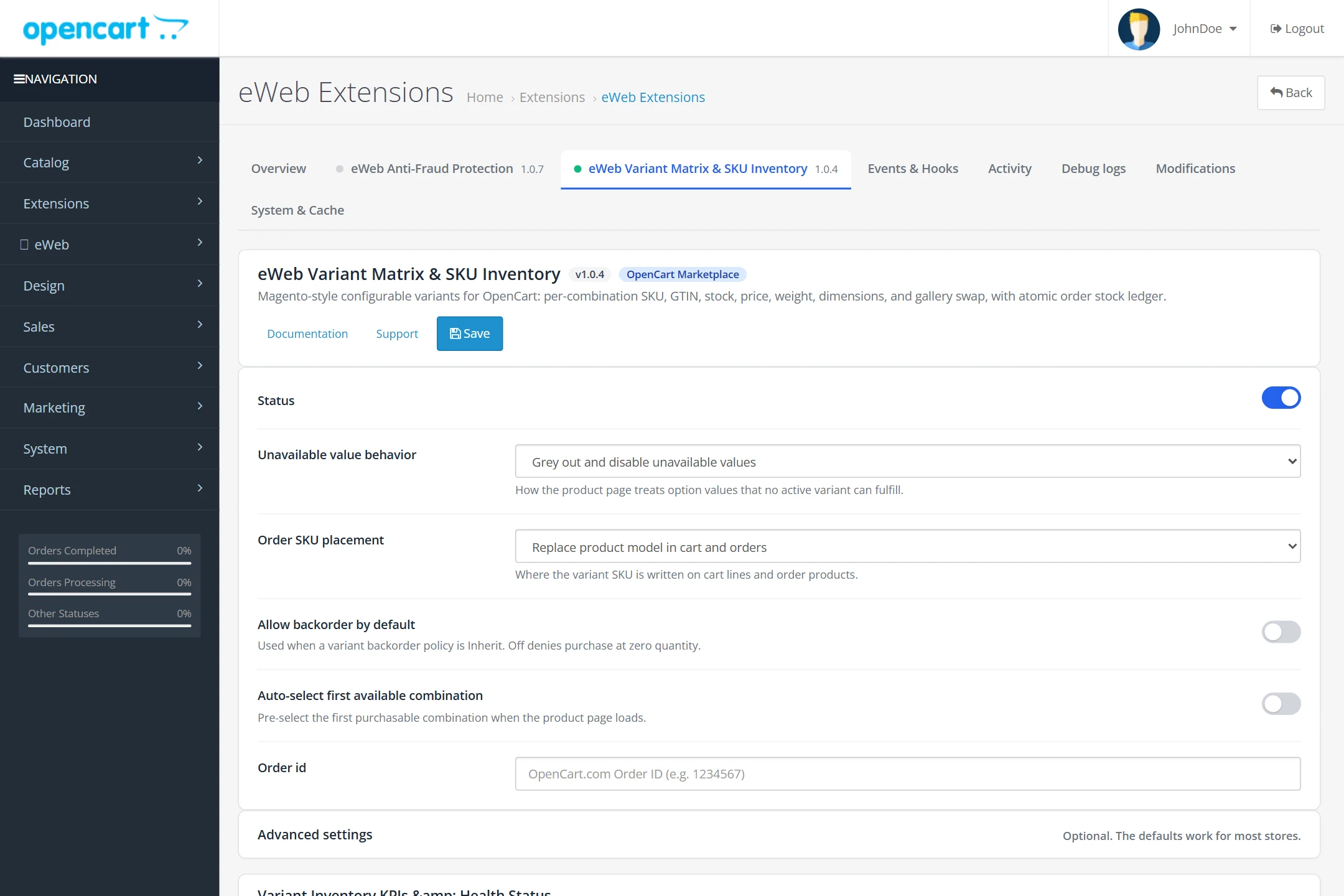
eWeb Variant Matrix & SKU Inventory (eweb_variants) fixes this fundamental limitation with an event-driven combination engine built according to modern OpenCart best practices:
- Zero OCMOD / VQMOD Core Edits: Operates 100% via native OpenCart Events and a runtime Cart decorator. Upgrading OpenCart never breaks your inventory.
- Zero Category Page Slowdown: Automatically calculates and synchronizes
oc_product.quantityto the sum of active variants. Category, search, and manufacturer pages run with zero extra SQL joins. - Bidirectional Availability Checking: Storefront shoppers see unavailable combinations greyed out or hidden in real time as they click options.
- Atomic Concurrency-Safe Deduction: Stock deductions use conditional single-statement updates (
UPDATE ... WHERE quantity >= :q) coupled with an immutable audit ledger to prevent race conditions and overselling.
1.2 System Requirements & Platform Support
| Platform / Component | Supported Versions | Notes |
|---|---|---|
| OpenCart 3.x | 3.0.2.0, 3.0.3.0 – 3.0.3.9, 3.0.4.0 – 3.0.5.1+ | PHP 7.1 – 8.1 supported |
| OpenCart 4.x | 4.0.2.0, 4.0.2.1, 4.0.2.2, 4.0.2.3, 4.1.0.0 – 4.1.0.4+ | PHP 8.0 – 8.3 supported |
| Database Engine | MySQL 5.7+, MySQL 8.0+, MariaDB 10.3+ | InnoDB engine required (foreign keys & transactions) |
| PHP Extensions | json, pdo_mysql or mysqli | Standard on all hosting providers |
| Themes | Default, Journal 3, Basel, Fastor, Porto, Shoppica | Pure semantic DOM selectors; zero theme conflicts |
1.3 Installation & Upgrading
- Download the appropriate distribution package from your OpenCart account:
- For OpenCart 3.x:
eweb_variants.ocmod.zip(from theoc3/folder) - For OpenCart 4.x:
eweb_variants.ocmod.zip(from theoc4/folder)
- For OpenCart 3.x:
- In your OpenCart admin, navigate to Extensions > Installer and click Upload to upload the zip file.
- Navigate to Extensions > Extensions, select Modules, find eWeb Variant Matrix & SKU Inventory, and click Install (
+). - Click Edit on the module to access the Central Dashboard and verify that status is set to Enabled.
1.4 Marketplace Licensing & Custom Integration Support
eWeb Variant Matrix & SKU Inventory is available as a single, comprehensive package:
- OpenCart Marketplace Price: $59.00 USD (One-time payment)
- License: 1 Production Store Domain + Staging/Dev environments. Includes 12 months of free updates and bug fixes.
We provide dedicated custom development and integration services. Simply create a support ticket at eweberinc.com/support with your project requirements, and our senior engineering team will assist you with scoping and implementation.
2. Matrix Generator & Grid Editor
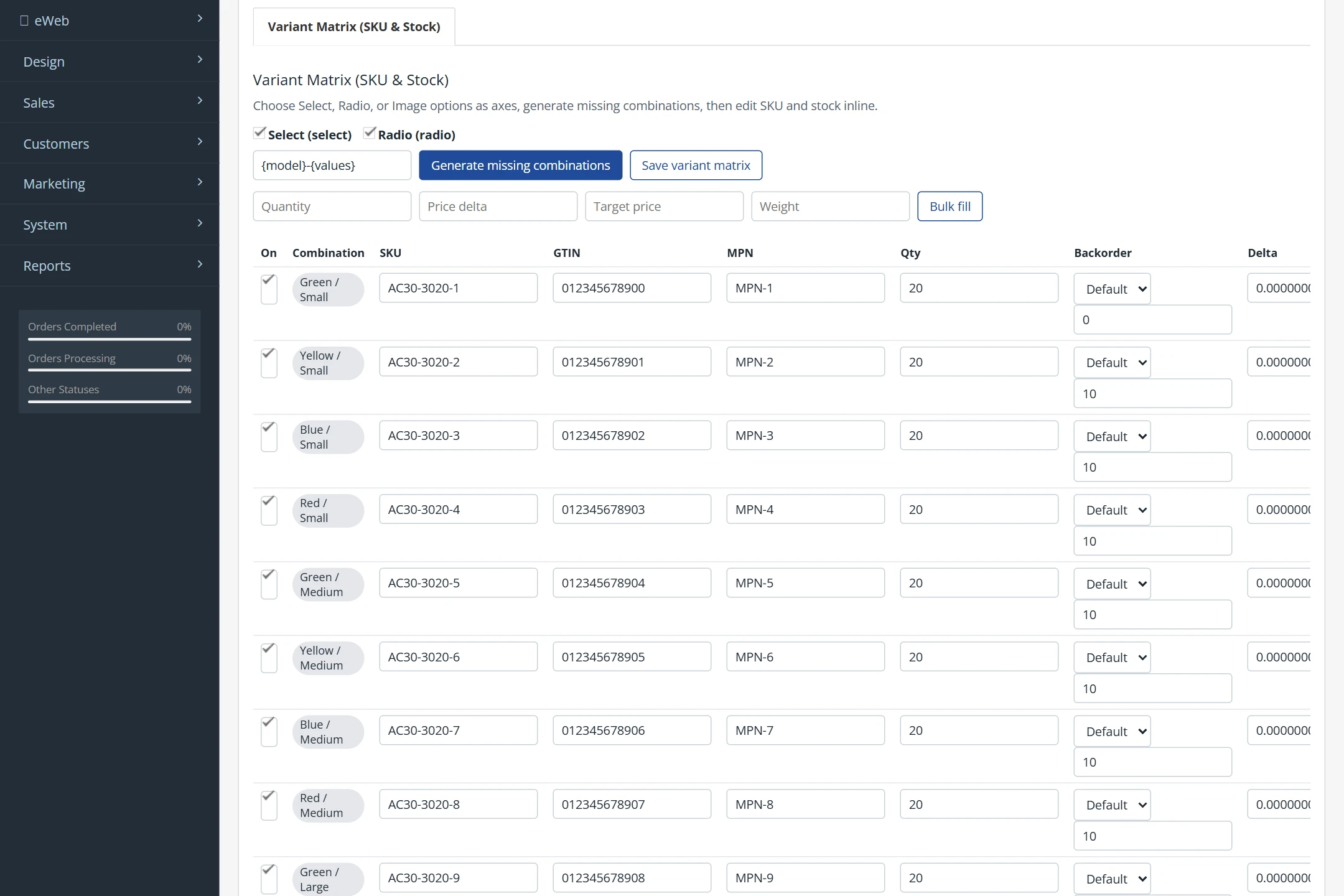
The variant matrix for any product is configured directly within the standard OpenCart product edit screen under the new Variant Matrix (SKU & Stock) tab.
2.1 Choosing Matrix Axes
Matrix axes are selected from the product's assigned choice options (options with type select, radio, or image).
- Tick up to 4 axes (e.g.
ColorandSize) to define combinations. - Non-axis options (such as custom engraving text, file uploads, or delivery dates) remain standard free options and do not create inventory combinations.
- The generator calculates the Cartesian product of all active option values.
🧮 Interactive Combination Calculator & SKU Preview
Test how your option axes calculate combinations and expand SKU patterns:
2.2 SKU Pattern Expansion
The SKU pattern generator automatically assigns clean, SEO-friendly, warehouse-ready SKUs using customizable template tags:
{model}— Inserts the base product model (e.g.SHIRT-101).{values}— Inserts hyphenated option value names (e.g.RED-MEDIUM).{Option_Name}— Inserts the specific value for that option (e.g.{Color}becomesRED).{sku}— Retains existing manual SKU overrides.
Special characters and spaces are automatically sanitized to uppercase alphanumeric tokens with hyphens.
2.3 Bulk Fill Toolbar
Managing pricing and quantities across dozens of combinations is fast with the Bulk Fill Toolbar:
- Filter Scope: Apply updates to All Variants or filter by a specific axis value (e.g. only variants where
Size = 2XL). - Batch Quantity: Set initial stock (e.g.
25) across all selected rows in one click. - Price Deltas & Target Pricing: Enter a price delta (e.g.
+5.00) or enter a target retail price; the engine automatically computes the required delta against the base product price. - Weight & Dimensions: Batch set shipping parameters for dimensional shipping modules.
- Backorder Flag: Enable or disable out-of-stock backorders per combination.
2.4 Per-Variant Image Assignment & Gallery Swapping
Each combination can be assigned a dedicated Main Image and multiple Gallery Images:
- Assigning a red shirt photo to all
Redvariants automatically switches the storefront main photo and thumbnail gallery when the customer clicks the Red swatch. - Eliminates duplicate product catalog entries solely for different colors.
3. Storefront Experience & Deep-Linking
3.1 Real-Time Availability Map
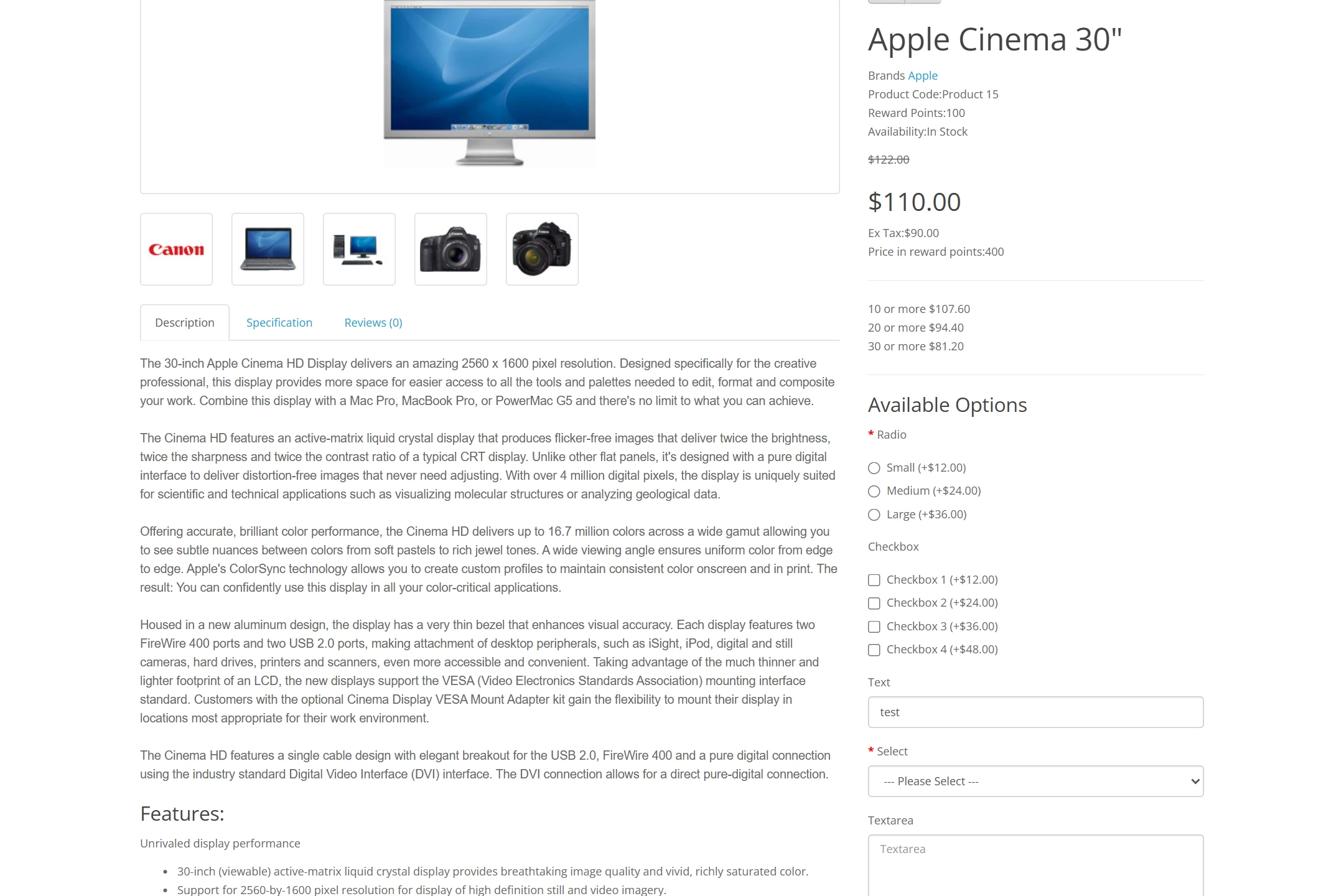
When a customer views a configurable product, the storefront JavaScript initializes with an embedded client-side availability map (window.EWEB_VARIANTS_BOOT). As options are selected:
- The engine evaluates all compatible combinations in under 2 milliseconds.
- Option choices that are out-of-stock or disabled are immediately styled according to your store setting.
3.2 Out-of-Stock Behaviors
In the Central Dashboard, configure the Unavailable Value Behavior:
grey_out(Default) — Greys out unavailable values and lowers opacity, signaling unavailable choices while retaining visibility.strike_through— Displays a diagonal strike-through badge across unavailable buttons/swatches.hide— Completely removes incompatible options from the DOM.
3.3 Dynamic Gallery & Price Swap
Selecting a valid combination dynamically updates the following storefront elements via configurable CSS selectors:
- Price Display: Adjusts regular price, special price, and tax amounts based on the combination's
price_delta. - SKU / Model Label: Swaps the displayed product model to the combination's unique SKU.
- Main Product Image: Transitions smoothly to the combination's primary photo.
- Stock Badge: Displays "In Stock", "Only 2 Left!", or "Out of Stock" dynamically.
3.4 Deep-Linking via URL (?variant=SKU)
Marketing campaigns, newsletter links, and Instagram/Google feeds can deep-link directly into a pre-selected combination:
https://yourstore.com/index.php?route=product/product&product_id=42&variant=AC30-4020-1
Upon landing on the page, the storefront script parses the variant parameter, selects the corresponding option swatches, updates the gallery image, and prepares the cart with the exact SKU selected.
4. Atomic Stock Ledger & Checkout
4.1 Atomic Stock Deduction (Zero Overselling)
Traditional OpenCart extensions perform non-atomic stock adjustments by reading stock into PHP memory and writing back an updated quantity. Under concurrent flash sales or high-traffic checkouts, this results in negative inventory and overselling.
eWeb Variant Matrix utilizes single-statement conditional SQL updates directly within MySQL:
UPDATE oc_eweb_variants_variant
SET quantity = quantity - 2
WHERE variant_id = 45
  AND (quantity >= 2 OR backorder = 1);
The affected row count determines deduction success. If insufficient stock is available, deduction fails at the database level and a warning ledger entry is generated.
4.2 Idempotent Movement Ledger
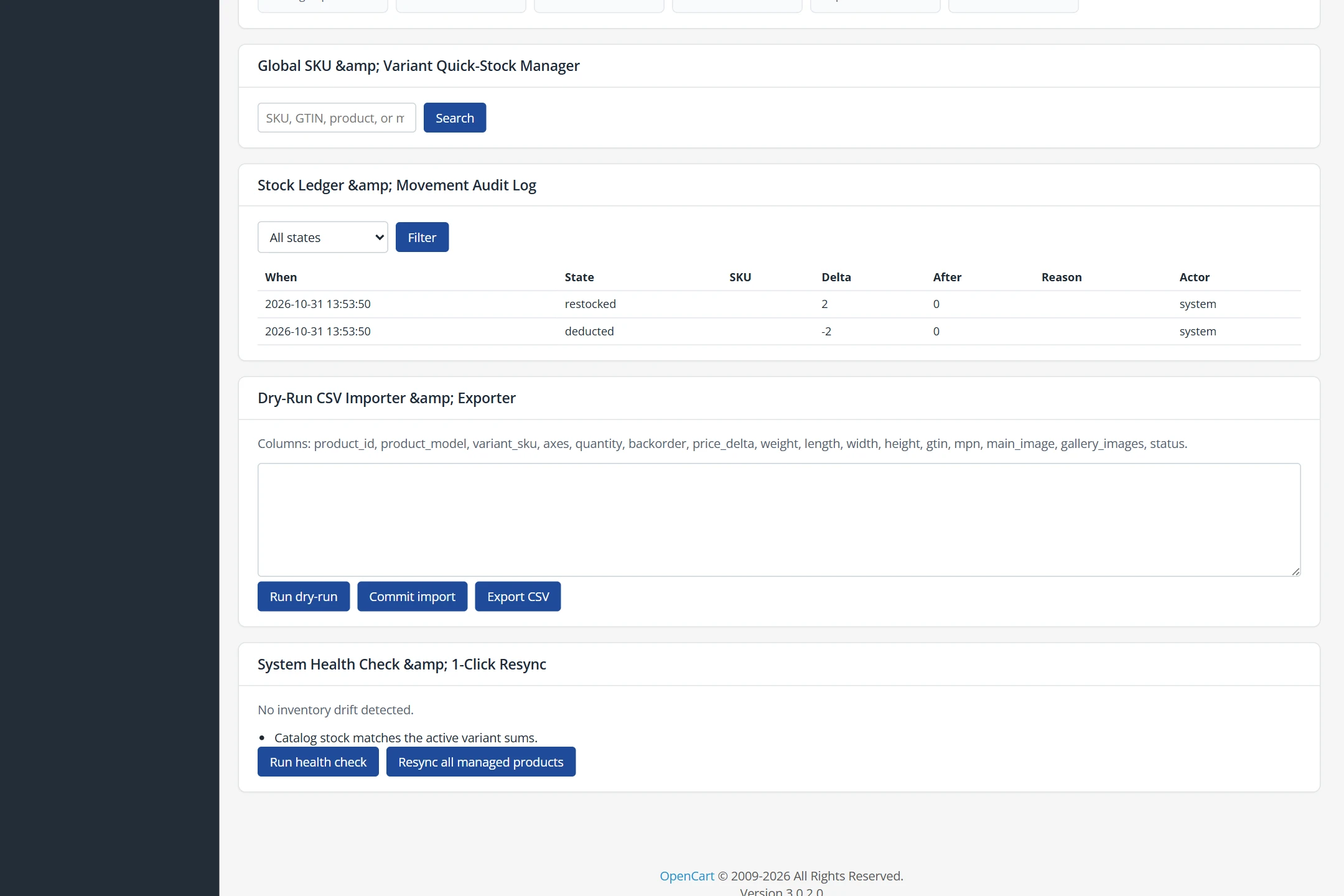
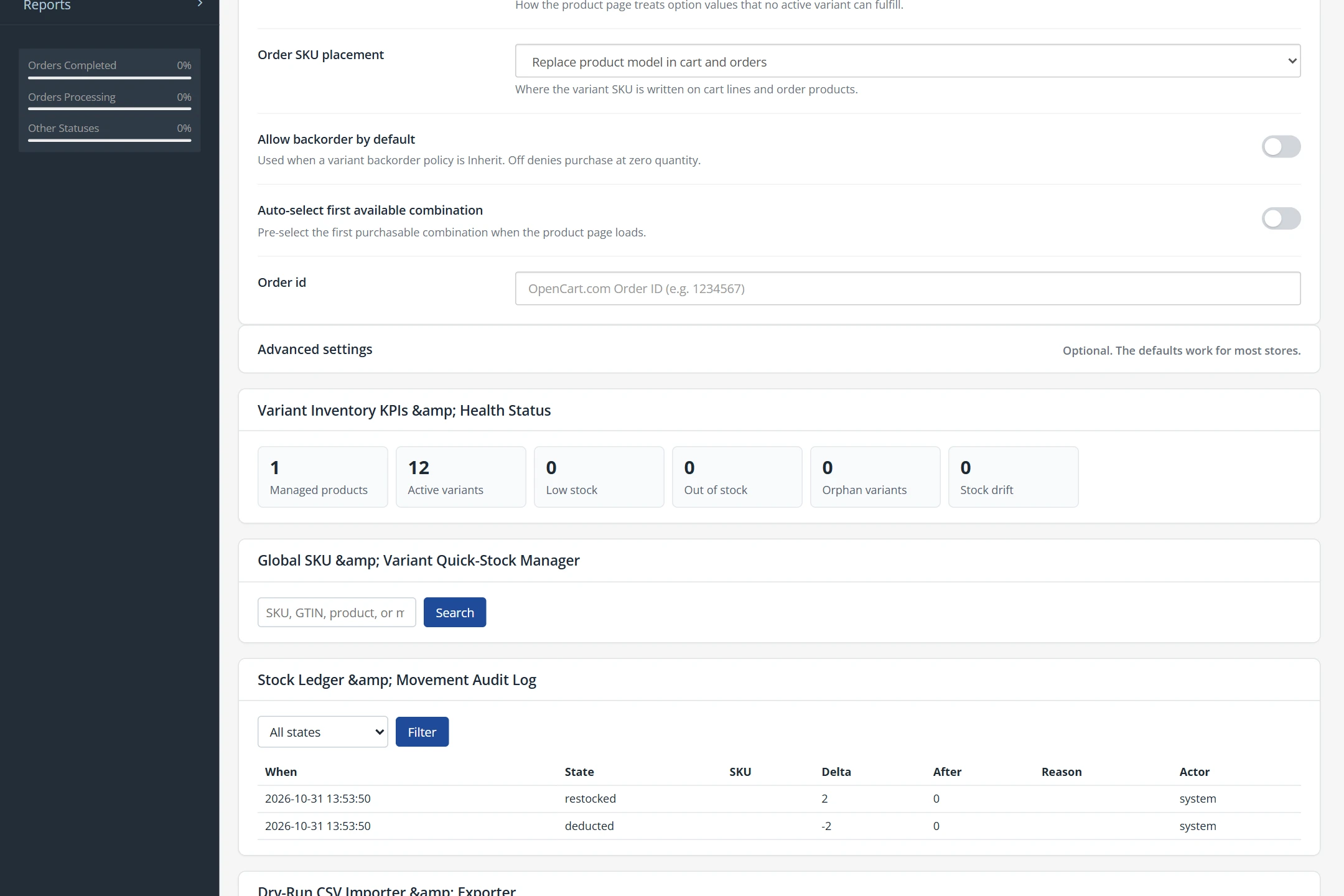
Every inventory adjustment is tracked in oc_eweb_variants_ledger with a unique order_product_id constraint. Moving an order back and forth between order statuses (e.g. Processing → Complete → Processing) will never double-deduct inventory.
4.3 Cross-Line Cart Aggregation
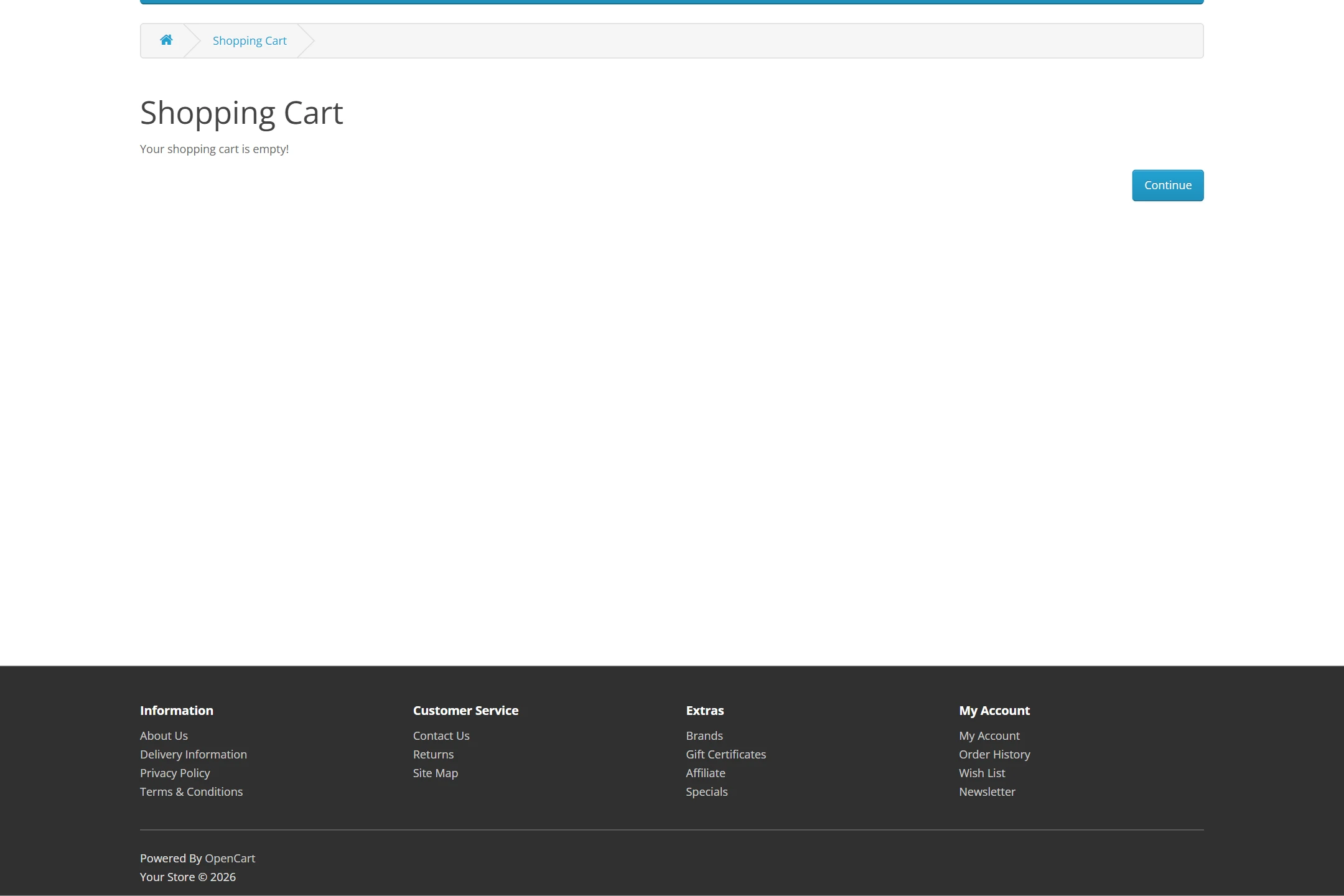
If a customer adds Red / Medium with custom engraving "John" (qty 1) and adds Red / Medium with custom engraving "Mary" (qty 2), OpenCart creates two distinct cart line items.
Our runtime Cart decorator aggregates the total demand (3 units) and validates it against the shared Red / Medium variant stock pool, blocking checkout if only 2 units remain in stock.
5. Tools & Maintenance
5.1 Bulk CSV Importer & Exporter (With Dry-Run Check)
Export and update your entire variant catalog using standard spreadsheets. The importer includes enterprise-grade Dry-Run Validation:
- Dry-Run Verification: Tests the CSV file without writing to the database. Identifies unknown product models, malformed option combinations, and path traversal violations.
- Round-Trip Schema: Columns include
product_id,product_model,variant_sku,axes,quantity,price_delta,weight,gtin,mpn,main_image, andstatus. - Transactional Commit: Commits updates safely with automatic rollback upon failure.
5.2 System Health Check & 1-Click Resync
If third-party ERP scripts or external database imports ever modify oc_product or option tables directly, the Health Check utility detects drift in real time:
- Identifies discrepancies between
oc_product.quantityand active variant sums. - Flags orphaned variants whose parent option values were deleted.
- The Resync All Managed Products button recalculates all sums, restores neutral subtract flags, and brings your store into 100% synchronization in seconds.
6. Developer Hooks & Public PHP API
Other extensions and ERP connectors can interact cleanly with the variant engine via the public service container:
<?php
// Access the eWeb Variants service context
$ctx = \Eweb\Core\Core::context('eweb_variants', $this->registry);

// 1. Look up a variant by SKU
$repo = new \Eweb\Variants\Service\VariantRepository($ctx);
$variant = $repo->getVariantBySku('SHIRT-RED-MED');

if ($variant) {
    $variantId = (int)$variant['variant_id'];

    // 2. Adjust inventory with an audit trail
    $ledger = new \Eweb\Variants\Service\StockLedgerService($ctx);
    $ledger->adjustVariantStock(
        $variantId,
        15,                 // New quantity
        'WMS cycle count',  // Reason / Note
        'wms'               // Source channel
    );

    // 3. Resynchronize parent product stock
    $sync = new \Eweb\Variants\Service\ProductSyncService($ctx);
    $sync->syncManagedProduct((int)$variant['product_id']);
}
6.2 Core Event Subscriptions
Listen to stock lifecycle notifications using OpenCart's native event manager:
| Event Code | Trigger Point | Action |
|---|---|---|
eweb/variants/stock_changed | Fired after any atomic deduction, restock, or manual adjustment | Notifies external ERP or feeds |
eweb/variants/oversell_prevented | Fired when an atomic deduction is blocked due to insufficient stock | Triggers low-stock alerts |
eweb/variants/availability_payload | Fired when compiling storefront JSON metadata | Enables custom rule injection |